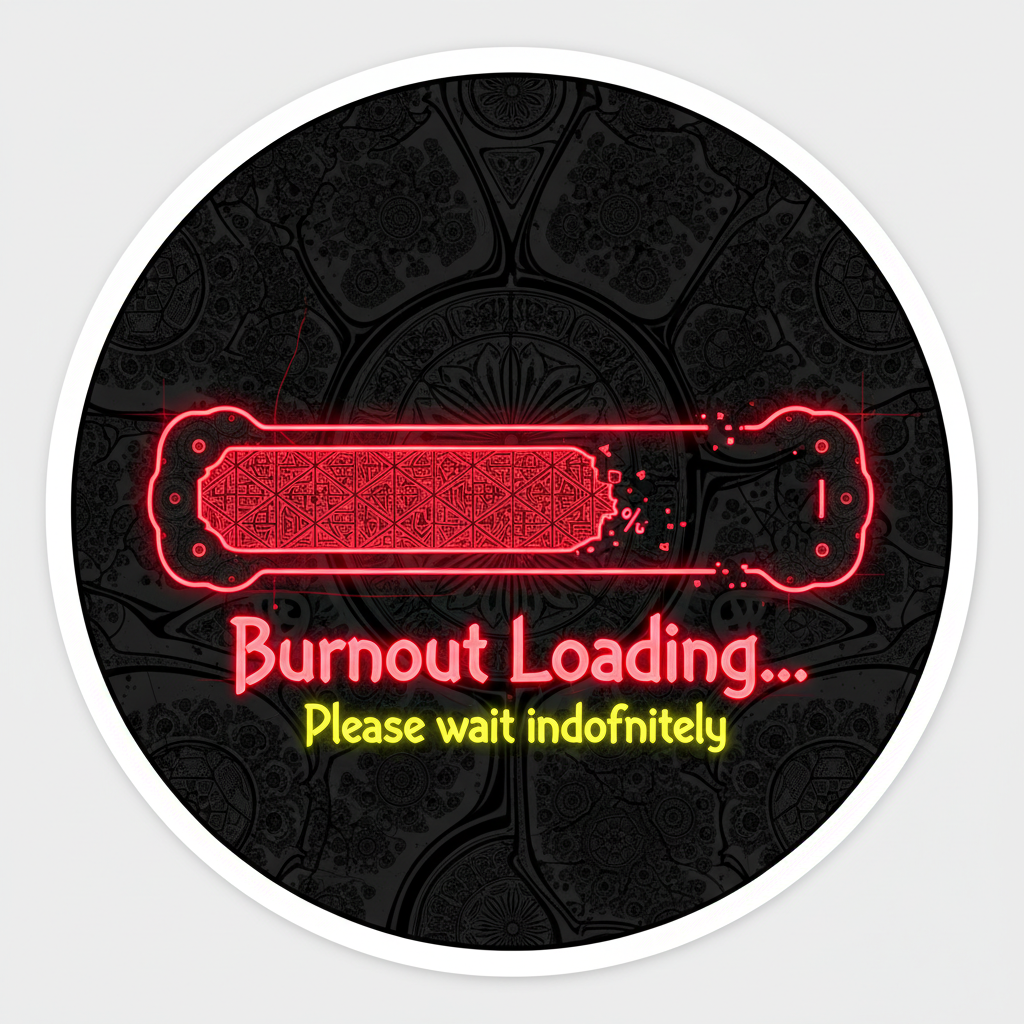
Burnout Loading Minimal Aesthetic Tech Sticker
Digital Asset Key Highlights
- ✓ Master 300 DPI Ultra High Resolution
- ✓ Formats: Vector SVG, Print PDF, High-Res PNG, Layered PSD/AI
- ✓ Full Commercial & Personal License Included
- ✓ Lifetime Unlimited Downloads & Free Re-downloads
- ✓ Compatible with Procreate, GoodNotes, Cricut, Photoshop, Illustrator
- ✓ Instant Secure Cloud Storage Download Token
Product Description & Detailed Specifications
Complete artistic breakdown, printing recommendations, software support, and project workflows.
Product Description
Express your current status with unflinching honesty and quiet humour using this Burnout Loading Sticker, a minimal tech-inspired design that captures the reality of modern digital fatigue with the elegant simplicity of a system status update. What makes this specific sticker unique is its devastating accuracy. It takes the most mundane element of digital life, the loading bar, and transforms it into a poignant, relatable statement about energy, capacity, and the human limits we so often push past. The composition is beautifully minimal. A clean loading bar dominates the design, rendered with the crisp precision of a user interface element. The bar itself is stark and geometric, a rectangular container with rounded corners that echoes the progress indicators we stare at countless times each day. Within this container, a small portion of the bar is filled, perhaps only fifteen or twenty percent, maybe less. The filled portion glows faintly or appears as a solid block of colour, while the remaining empty space stretches on and on, a visual representation of depleted reserves and the long road to recovery. Above, below, or beside the loading bar, the words "Burnout Loading..." appear in clean, minimal typography. The ellipsis is crucial. Those three dots suggest the process is still ongoing, that the burnout is not a completed event but an active state, a loading screen that has been spinning for far too long. A small percentage indicator might accompany the bar, a cold, precise number that quantifies the unquantifiable experience of running on empty. Subtle UI-inspired details enhance the authenticity of the design. A tiny spinning buffer wheel or circular progress indicator might sit nearby. A faint battery icon drained to red hovers in the corner. A subtle blinking cursor punctuates the message. These elements are not decorative clutter. They are the visual vocabulary of modern digital life, instantly recognisable and deeply resonant for anyone who spends their days staring at screens. The overall mood is one of quiet acknowledgment rather than despair. This is not a cry for help. It is a statement of fact delivered with the resigned calm of someone who knows their own limits and has learned to name them. It is the visual equivalent of a status update set to "away," a notification that says "currently running on reserves," a system message that reminds us all that even the best hardware needs a reboot. The illustration style is clean, precise, and deliberately digital, giving it an authentic UI aesthetic that looks like a screenshot from a beautifully designed but worryingly honest operating system. This sticker is supplied as a high-resolution digital download, giving you complete flexibility to print on your choice of sticker paper, printable vinyl, or heat transfer material. You can print the design as many times as you like, resize it to suit different applications, and use it to communicate your current status to the world without having to say a word.
Who It Is For
This sticker is for anyone running on low battery in real life. It is for students staring at progress bars during all-nighters, wondering when their own progress bar will start moving again. It is for developers and programmers whose code compiles faster than their ability to recover from the previous sprint. It is for creatives and freelancers navigating the feast-or-famine cycle of project-based work. It is for professionals in high-pressure industries who understand that burnout is not a weakness but a signal. The design appeals to those who appreciate dark humour, honest self-expression, and the absurdity of modern productivity culture. It is ideal for personalising laptops, tablets, notebooks, phone cases, water bottles, and workspace walls. The sticker makes a deeply empathetic and darkly funny gift for colleagues navigating crunch time, students during finals, friends in high-stress jobs, or anyone who needs to know they are not alone in their exhaustion. Small business owners creating tech accessories, mental health awareness products, programmer merchandise, or relatable lifestyle collections will find the design commercially valuable and emotionally resonant with audiences who live their lives online.
Color Palette Description
The design is defined by a stark, digital-inspired palette that captures the cold precision of user interfaces and the quiet drama of a system running low on resources. The background or primary container is rendered in clean white, soft off-white, or the pale grey of an operating system window. The loading bar outline appears in crisp black, deep charcoal, or dark slate grey, creating a sharp, defined border. The filled portion of the bar, that small, precious sliver of remaining energy, might appear in muted red, burnt orange, pale amber, or a warning yellow that signals "low" in the universal language of battery indicators. The empty portion of the bar remains pale grey or translucent, a vast expanse of depleted capacity. The "Burnout Loading..." text appears in clean black, deep charcoal, or muted slate, with the percentage indicator in a matching tone. A small battery icon drained to red or an orange warning triangle adds a subtle accent of caution. The overall effect is clean, minimal, and chillingly accurate, like a system notification you never wanted to see but deeply needed to acknowledge. The digital version is supplied as clean linework on a transparent background, ready for you to place over any colour or keep as a crisp UI-inspired design.
What Is Included in the Download
The download includes a high-resolution JPG file at 300 DPI, suitable for printing at various sizes without any loss of quality. A printable PDF version is also included, optimised for standard A4 paper. A high-resolution PNG file with a transparent background is provided, allowing you to place the design over any coloured surface or integrate it seamlessly into digital projects, desktop wallpapers, or merchandise mockups. A printing and application guide with recommendations for sticker paper, vinyl, and creative project ideas is included. Your download link is delivered instantly via email upon purchase confirmation, and you receive lifetime access to any future file updates or design variations.
Paper Recommendations
For creating high-quality physical stickers, print on matte or glossy sticker paper specifically designed for your printer type, inkjet or laser. A minimum weight of 120gsm is recommended for durability. Matte sticker paper is particularly suited to this design, as its clean, non-reflective finish beautifully complements the minimal UI aesthetic and works perfectly on laptops, notebooks, and tech workspaces. Glossy photo sticker paper can add a subtle screen-like sheen that enhances the digital interface feel. For laptops, water bottles, or other surfaces exposed to handling, use waterproof printable vinyl with a protective laminate overlay for maximum durability. For heat transfer applications such as t-shirts, hoodies, or tote bags, use printable heat transfer vinyl compatible with your printer, remembering to mirror the image before printing. For wall art or motivational posters, print on smooth white cardstock with a minimum weight of 200gsm.
Printing Instructions
Print using a high-quality inkjet or colour laser printer set to the highest quality setting for crisp, pixel-perfect linework and clean digital aesthetics. Ensure scaling is set to 100% or Actual Size, never Fit to Page, to preserve the intended proportions and composition. Select the correct paper type in your printer settings, sticker paper, glossy photo paper, vinyl, or cardstock, for optimal ink adhesion and colour accuracy. If printing for heat transfer, remember to mirror or flip the image horizontally before printing. Print a test page on standard copy paper first to check alignment, scale, and colour accuracy, particularly the crispness of the loading bar edges and the subtle warning tones. Allow printed stickers to dry completely before handling or cutting. Use sharp scissors for cutting around the design, or a cutting machine such as a Cricut or Silhouette for precise, professional edges. Apply to clean, dry surfaces for best adhesion. Store unused prints flat in a folder or protective sleeve to keep them clean and ready for your next creative project. Burnout loading. Please stand by. Your energy is a finite resource, and acknowledging the low battery is the first step toward recharging. You are not broken. You are just due for a reboot. Rest well. The progress bar will move again when you are ready.
Technical Specifications Matrix
| Product Title | Burnout Loading Minimal Aesthetic Tech Sticker |
|---|---|
| Category | stickers_cliparts |
| Master Resolution | 300 DPI Native Optical High Resolution |
| File Formats Provided | Vector SVG, Print PDF, Transparent PNG, Master AI/PSD |
| Color Modes | CMYK (Print Optimized) + sRGB (Digital Display Optimized) |
| Supported Software | Adobe Illustrator, Adobe Photoshop, Procreate, GoodNotes, Notability, Cricut Design Space, Silhouette Studio, Canva, Affinity Designer |
| Commercial License | Included for physical end products, POD merchandise, planner accessories, stickers, and commercial crafts (up to 5,000 units) |
| Delivery Method | Instant Automated Cloud Download Token immediately upon checkout |
Verified Customer Community Reviews
"The lines are crisp and scaling in Illustrator was effortless. I printed this at 24x36 inches on heavy cotton rag paper and the color fidelity was breathtaking!"
"Imported smoothly onto my iPad Pro without any resolution compression. The color swatches included made coloring sessions so relaxing."
Frequently Asked Questions & Printing Guidance
How do I access and download my purchased digital files?
Immediately upon checkout confirmation, you will receive an on-screen instant download link and an automated confirmation email containing your secure cloud access tokens. You can re-download your files anytime with zero expiration limits.
What paper stock and printer settings yield the best fine art results?
We strongly recommend using 200–300 GSM heavyweight matte fine art paper or archival cotton rag stock. For inkjet printers, choose "Photo Quality / High Quality Matte" in your printer dialogue with 100% scale (no border crop) for flawless gallery results.
What is permitted under the commercial licensing agreement?
The included commercial license grants you permission to incorporate these assets into physical end items (t-shirts, mugs, planner covers, stickers, physical prints, and craft kits) for commercial resale up to 5,000 units per asset. Direct redistribution or re-licensing of the raw digital master files is strictly prohibited.